
On this page
About Figma to React from Quest
Figma to React from Quest is a free + paid features Figma plugin published by QuestAI Support in 2020. It works in Figma Design and Dev Mode and has 92,957 users and 755 likes on the Figma Community. It ranks #9 in AI and #16 in Figma to Code on our lists.
In the developer's words
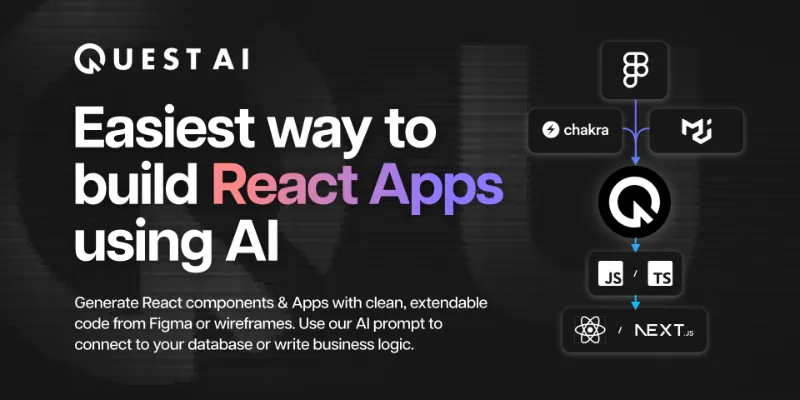
The easiest way to build React Apps using AI. Convert your Figma to ReactJS components automatically. Pixel-perfect to your design, responsive across screen sizes. Export clean, efficient code that is extendable with your custom code or business logic. Try it risk free.
Watch the Intro Video:
Key Features:
- Easy to use - convert design to ReactJS just by exporting to Quest. Get clean, extendable code that is production ready.
- Works with Figma features like responsiveness, variants, auto layout, etc.
- Use the built-in design system or bring your own.
- Supports MUI or Chakra UI Component libraries by default. Using components from their kits convert them into working MUI or Chakra UI components on export. Or you can build your own or bring in your own (Contact us if you’d like to import your existing library).
- Set up props, bindings and state triggers easily without writing any code. Convert variants into states or breakpoints automatically.
- Export Figma to React: Clean code that is as good as hand-coded by a developer.
- Separation of concerns between the presentation layer and the business logic - iterate on your design as often as you want and generate the presentation layer without any development effort.
- Use our AI prompt in the Quest Editor to write functionality with natural language.
- Add features such as state & element animations, video, sticky to parent, tooltips, grids, lists, etc.
- Download entire App or sync to GitHub with intelligent merging
- Export as Javascript or Typescript / CRA or Next.js
Risk-free:
- Start for free and scale when your team is ready.
- Build one component and add it to your existing React app. Build more as you go - no need to throw away what you already have and start over.
To get started:
- Install this plugin
- Login to your Quest account
- Follow our Quick Start list to build your first component: https://docs.quest.ai/getting-started/quick-start
Learn more: https://quest.ai/
Docs: https://docs.quest.ai/react/
Support: support@quest.ai
What's new
Version 46 · released Sep 5, 2023
- Faster syncs of design files and design system files.
- Bug fixes and other improvements.
Permissions and privacy
Network access
This plugin's manifest doesn't declare its network access, which is common for older plugins. Figma shows a warning on the Community page for plugins like this.
Extra permissions
None beyond the standard access to the file you run it in.
Read from the plugin's published manifest.
Where Figma to React from Quest ranks
Figma to React from Quest alternatives
- 1

Anima
by Anima
1.8M users17KFreeAnima - AI Powered Design to code
- 2

Builder.io
by Steve Sewell
1.3M users23KFreeExport designs to clean, responsive code or turn Figma screens into AI apps and prototypes.
- 337K users1.9KFree
Convert Figma to Fully Responsive HTML CSS / React / Vue / Tailwind with AI
- 309K users5.8KFree
Capture, Transform, Create! Transform Screenshot into Stunning Editable Figma Designs with Ease!
- 5

Relume
by Relume
302K users6.2KFreeWebsites designed & built faster with AI
- 148K users2.3KFree
Design. Develop. Deliver full-stack Web and Mobile apps



Figma to React from Quest FAQ
What does Figma to React from Quest do?
Quest AI - Easiest way to build React Apps using AI. It's a Figma plugin by QuestAI Support that runs in Figma Design and Dev Mode.
Is Figma to React from Quest free?
Figma to React from Quest is free to install, but some features are unlocked through a paid plan on the developer's site.
How do I install Figma to React from Quest?
Open it on the Figma Community, or search for it in the Actions menu (Cmd/Ctrl + K) inside any file you can edit. See how to install Figma plugins.
What are the best alternatives to Figma to React from Quest?
By user count, the closest alternatives are Anima, Builder.io and Figma to Fully Responsive HTML & Clean Code 20x Faster with AI. Compare all of them on the best Figma plugins for ai.
Built this plugin?
Use this page as a landing page for Figma to React from Quest: link to it from your site, README or launch posts, or add a badge. Pick a style and copy the code.

Style
Label
Size
Code
<a href="https://figmaplugins.co/plugins/figma-to-react-from-quest/" target="_blank" rel="noopener"><img src="https://figmaplugins.co/badges/featured-dark.svg" alt="Figma to React from Quest on figmaplugins.co" width="220" height="48"></a>