
On this page
About Image Palette
Image Palette is a free Figma plugin published by Matt DesLauriers in 2019. It works in Figma Design and has 368,236 users and 5,567 likes on the Figma Community. It ranks #4 in Images & Stock Photos on our lists.
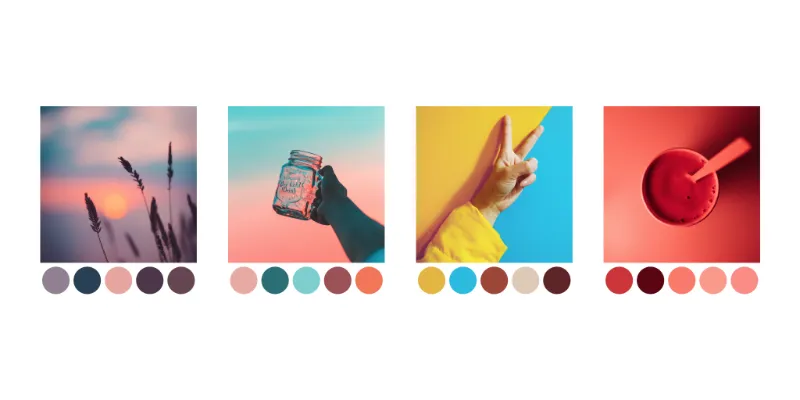
Extracts a colour palette of 5 different colours from the selected images. Note: This uses a median cut algorithm, which roughly approximates the most prominent different colours in the image.
What's new
Version 1 · released Jul 13, 2019
- Initial release.
Permissions and privacy
Network access
This plugin's manifest doesn't declare its network access, which is common for older plugins. Figma shows a warning on the Community page for plugins like this.
Extra permissions
None beyond the standard access to the file you run it in.
Read from the plugin's published manifest.
Where Image Palette ranks
Image Palette alternatives
- 1

Unsplash
by Unsplash
3.8M users33KFreeInsert beautiful images from Unsplash into your designs.
- 2

Photopea
by Patrik Schiller
461K users7.4KFreeOnline Photo Editor
- 3

Pexels
by Pablo Fernandez
431K users2.9KFreeAdd completely free images to your designs directly from Pexels
- 4

Filter / effects
by Andreslav Kozlov
354K users4.2KFree + paid featuresModify images more than 50 different effects right in Figma!
- 5

Photos
by Emin Sinani
288K users1.1KFree + $25 upgradeSearch, generate and insert photos from various providers
- 6

Insert Big Image
by Yuan Qing Lim
234K users4.1KFree + paid featuresInsert and retain the original resolution of big images
Image Palette FAQ
What does Image Palette do?
It's a Figma plugin by Matt DesLauriers that runs in Figma Design.
Is Image Palette free?
Yes. Image Palette is free to install and run from the Figma Community, with no paid tier listed.
How do I install Image Palette?
Open it on the Figma Community, or search for it in the Actions menu (Cmd/Ctrl + K) inside any file you can edit. See how to install Figma plugins.
What are the best alternatives to Image Palette?
By user count, the closest alternatives are Unsplash, Photopea and Pexels. Compare all of them on the best Figma plugins for images & stock photos.
Built this plugin?
Use this page as a landing page for Image Palette: link to it from your site, README or launch posts, or add a badge. Pick a style and copy the code.

Style
Label
Size
Code
<a href="https://figmaplugins.co/plugins/image-palette/" target="_blank" rel="noopener"><img src="https://figmaplugins.co/badges/featured-dark.svg" alt="Image Palette on figmaplugins.co" width="220" height="48"></a>