
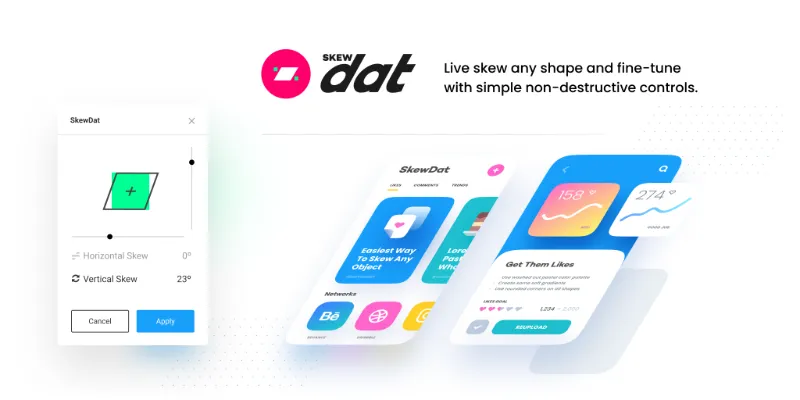
About SkewDat
SkewDat is a free Figma plugin with a paid upgrade ($2/mo) published by Unfold in 2019. It works in Figma Design and has 619,304 users and 7,094 likes on the Figma Community.
In the developer's words
It’s stupid simple, and yes you absolutely needs this! Give it a go with our FREE 7-day trial.
With our plugin you can skew anything & everything in sight within the comfort of everyone's favorite design program. Skew settling for anything less than perfect! We here at Unfold feed off perfection (we will literally die if we don't eat enough perfection) so you know this plugin will be amazing.
Plug-in features
• Live preview your adjustments
• Minimal interface, straight to the point
• Skew multiple objects at once
• Ability to revert back to original
Upcoming features
• Isometric mode
• Advanced controls
What's new
Version 2 · released Sep 8, 2023
- Updated to allow payments, more features to come
Permissions and privacy
Network access
SkewDat can only connect to the 3 domains declared in its manifest: static.figma.com, fonts.googleapis.com and fonts.gstatic.com.
- static.figma.com
- fonts.googleapis.com
- fonts.gstatic.com
Extra permissions
- Can offer paid features through Figma's checkout
Read from the plugin's published manifest.
SkewDat FAQ
What does SkewDat do?
Skew any layer or group with all layers preserved to edit. It's a Figma plugin by Unfold that runs in Figma Design.
Is SkewDat free?
Partly. SkewDat is free to install and use, and a paid upgrade on the Figma Community ($2/mo) unlocks the rest.
Is SkewDat safe to use?
Figma plugins can only reach the internet through domains listed in their manifest. SkewDat can only connect to the 3 domains declared in its manifest: static.figma.com, fonts.googleapis.com and fonts.gstatic.com. As with any plugin, check the developer's privacy policy before using it on client work.
How do I install SkewDat?
Open it on the Figma Community, or search for it in the Actions menu (Cmd/Ctrl + K) inside any file you can edit. See how to install Figma plugins.
Built this plugin?
Use this page as a landing page for SkewDat: link to it from your site, README or launch posts, or add a badge. Pick a style and copy the code.

Style
Label
Size
Code
<a href="https://figmaplugins.co/plugins/skewdat/" target="_blank" rel="noopener"><img src="https://figmaplugins.co/badges/featured-dark.svg" alt="SkewDat on figmaplugins.co" width="220" height="48"></a>