The best Figma map plugins in 2026
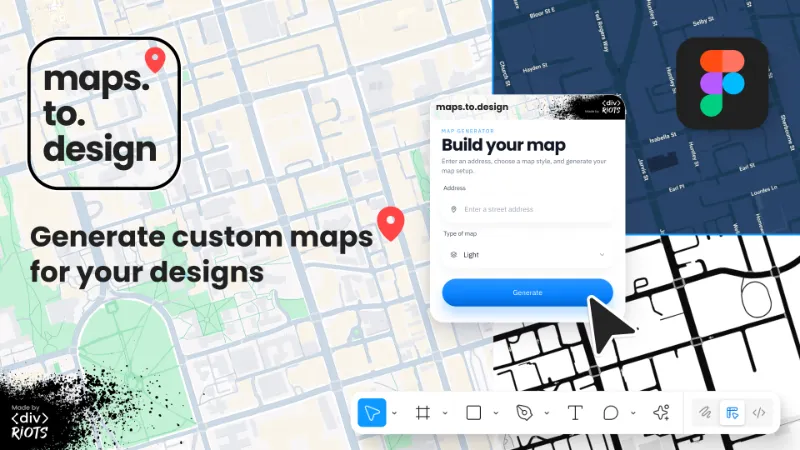
maps.to.design is the most popular map plugin for Figma, with 516K users, because it generates a styled map of any address in seconds, with roadmap, 3D, light and dark types plus a marker. For editable vector streets, Vector Map Maker and Placemark are better fits.
Top 18 picks
maps.to.design
#1 · 516K users
Quick answer
Our top picks
- #1
Most used
maps.to.design
by divRIOTS
maps.to.design builds a customised map from an address, with roadmap, 3D, light and dark map types, a marker and an optional address label. It's free and suits location screens in app mockups. The output is meant as a design visual, so it's less suited to precise cartography.516K 3.3KFree - #3
Best for editable vector maps

Vector Map Maker
by MapCrate Developer
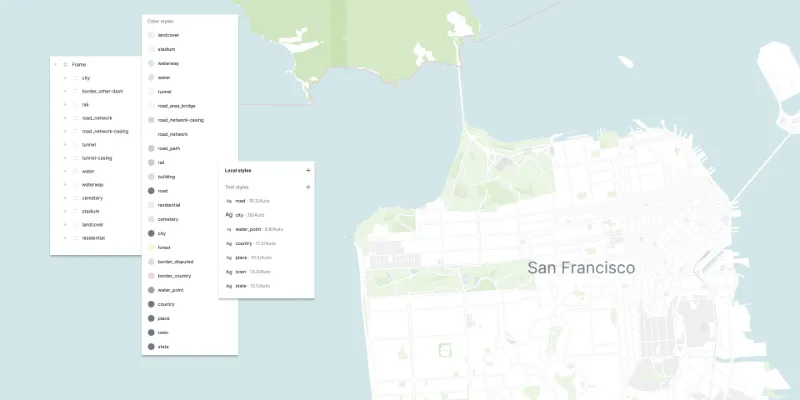
Vector Map Maker imports OpenStreetMap data as vector layers with local styles, so you can restyle roads, water and buildings with your brand colours. It also offers an image mode for quick prototypes. It's free with 58K users; OpenStreetMap data comes with attribution requirements you should carry into the final design.58K 448Free - #4
Best for world map charts

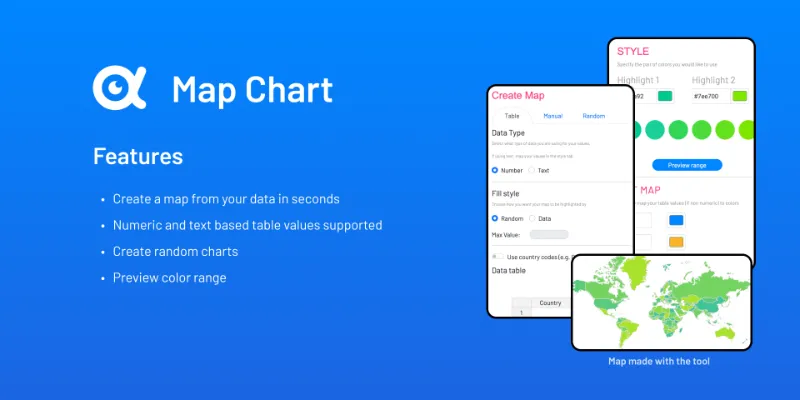
Map Chart
by Genuine Impact
Map Chart turns map data into a clean world map visualisation, highlighting regions by value. It suits dashboards, reports and infographics rather than location screens. It's free with in-app purchases and has 28K users.28K 86Free + paid
The full list
The 18 most-used Figma plugins for maps
- 01516K3.3KFree
- 02
 235K962Free
 - 0358K448Free
- 04
Map Chart
Free + paid · 86 likes
28K86Free + paid - 05
 25K104Free
 - 06
 21K83Free
 - 07
 18K274Free
 - 08
 15K198Free
 - 09
 15K200Free
 - 10
China Vector Maps
Free · 105 likes
6.7K105Free - 11
 5.7K119Free
 - 12

Map Builder
Design, Customize, and Integrate Stunning Maps Seamlessly with Map Builder for Figma.
Free + paid · 51 likes
5.5K51Free + paid - 13
 5.1K136Free
 - 14
 4.9K29Free
 - 15
 4.7K20Free + $4
 - 16
 4.5K152Free
 - 17

Philippine Travel Level Map Maker
Plugin for creating custom maps for the Philippine Travel Level Map by denzdelvillar.
Free · 2 likes
2K2Free - 18

plotset charts and maps
AI-Powered Data Visualization - Create Beautiful Charts and Maps
Free · 23 likes
1.8K23Free
Buying guide
What to look for
Figma has no map layer of its own, so every map in a design comes from a plugin or a screenshot. The plugins fall into three camps: styled map images for app and website mockups (maps.to.design, Google Maps - Map Maker, GMap, TomTom Maps Generator), vector street maps built from OpenStreetMap data (Vector Map Maker, Placemark), and country or world maps for data visualisation (Map Chart, NB Vector Map, World Map Generator).
Few plugins cover maps, so the list thins out quickly. If you're charting numbers on a map, our charts list has more data tools.
- 01
Image or vector output
Image maps drop in fast and look like the real service. Vector maps let you recolour every road and label, which matters for branded illustrations and dark mode variants.
- 02
Data source and attribution
Plugins built on OpenStreetMap (Vector Map Maker, Placemark) need the usual "© OpenStreetMap contributors" credit in published work. Maps from Google or TomTom come under those providers' terms.
- 03
Style presets
Check for light and dark styles and marker options. Google Maps - Map Maker offers 20 styles, which saves time when you need a map to match a UI theme.
- 04
Correct borders
Country outlines can be politically sensitive. China Vector Maps exists specifically because other plugins drew the country incorrectly, so check borders before shipping a map to a regional audience.
FAQ
Frequently asked questions
How do I add a map to a Figma design?
Run a map plugin, type an address and insert the result. maps.to.design and Google Maps - Map Maker both place a styled map image on the canvas in a couple of clicks.
Can I get an editable vector map in Figma?
Yes. Vector Map Maker and Placemark load OpenStreetMap data as vector layers, and Placemark works without an API key.
Do I need to credit the map source?
Usually. OpenStreetMap data requires attribution to its contributors, and commercial map providers set their own terms. Mockups rarely matter, but add the credit on anything you publish.
How do I make a 3D globe in Figma?
Easy Globe builds customisable 3D globes, and Placemark Globe lets you spin a globe in the plugin window and insert a free vector version.