The best new Figma plugins of 2026
The most-used Figma plugin launched in 2026 is HTML to Figma, with 22K users since January, followed by the AI design agent Buddy and Text on path. Every plugin here was first published on the Figma Community this year.
Top 20 picks
HTML to Figma
#1 · 22K users
Quick answer
Our top picks
- #1
Most used
HTML to Figma
by Morty
Imports HTML and turns web layouts into editable Figma layers. It's the quickest way to pull an existing page into a redesign file. Complex, script-heavy pages still need cleanup after import.22K 565Free - #3
Best small utility

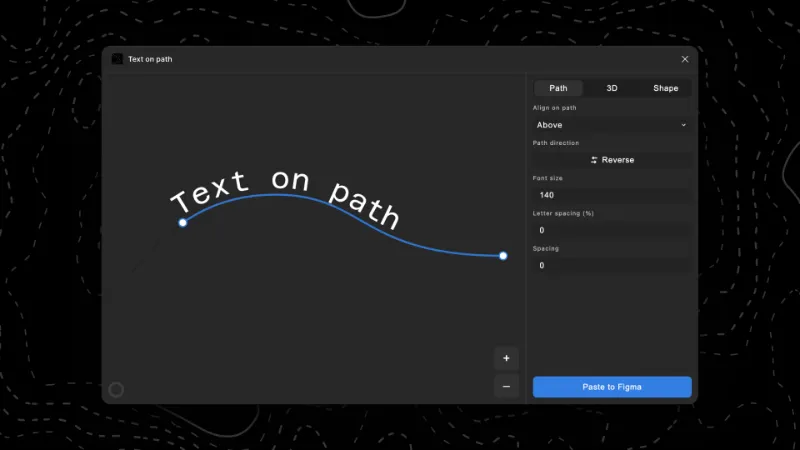
Text on path
by Aleksei Kipin
Places text along curves, circles and custom vector paths, which Figma Design doesn't do on its own. It does one job, is free, and suits badges, logos and illustrations.8.8K 62Free - #10
Best for AI workflows

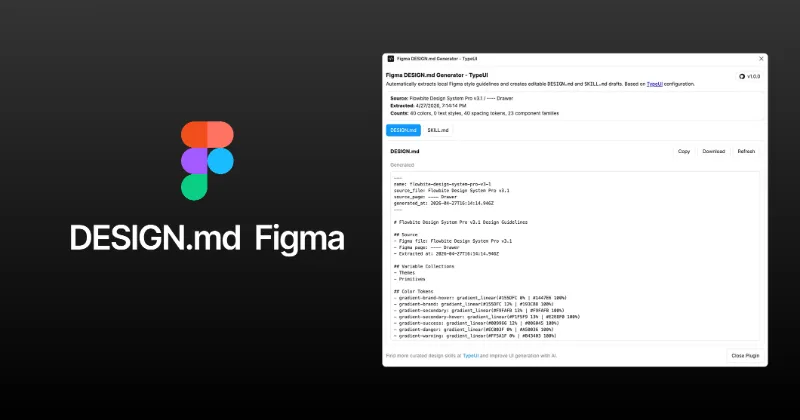
DESIGN.md Generator
by Themesberg
Generates DESIGN.md and SKILL.md files that describe your design system for AI coding tools. Useful if your team builds with Claude, Cursor or similar and wants output that matches your tokens.4.5K 305Free
The full list
The 20 most-used Figma plugins for new in 2026
- 0122K565Free
- 02

Buddy Figma AI agent:Claude design to Figma,Codex HTML UX generator Co-pilot assistant for Designers
Buddy - Your Figma AI design partner, living right inside Figma.
Free · 245 likes
9K245Free - 038.8K62Free
- 04
 8.4K111Free
 - 05

Perspective Distort
Apply realistic 3D perspective transformations to any vector shape
Free · 111 likes
8.2K111Free - 06

Layerize: Image to Figma AI
FREE: Screenshot to Figma!! Convert image to Figma design!
Free · 95 likes
6.2K95Free - 07
 6.2K14Free
 - 08

Figma to Code Ai Export
Export your Figma design as HTML, images & AI prompt — ready for Cursor, Claude, or ChatGPT.
Free · 51 likes
5.6K51Free - 09
 4.7K79Free
 - 10
DESIGN.md Generator
Generate DESIGN.md and SKILL.md files with design system specifications for AI tools
Free · 305 likes
4.5K305Free - 11
 4.4K81Free
 - 12
 4.3K66Free
 - 13
 3.9K215Free
 - 14

太极-透视变形 Perspective Warp
Perspective Warp with live preview. Distort images and vectors like in Photoshop
Free · 63 likes
3.4K63Free - 15
 3.3K6Free
 - 16
 3.2K300Free
 - 17

MotionKit
Animation studio inside Figma - Make Motion Graphics and export to Mp4/Gif/PNG + Lottie - 100% FREE
Free · 76 likes
2.9K76Free - 18

FiPo
Convert Figma designs to editable PowerPoint presentations, and PPTX to editable Figma designs.
Free · 13 likes
2.8K13Free - 19
 2.7K33Free
 - 20

Distort Transform
Perspective distort any vector, just like other tools but now inside Figma.
Free · 17 likes
2.7K17Free
Buying guide
What to look for
New plugins haven't had time to build huge user counts, so expect smaller numbers here than on other lists. Three themes stand out: AI that talks to Figma (Buddy, Higgsfield AI, DESIGN.md Generator), moving work in and out of Figma (Canva, Pencil, Tilda, PowerPoint), and effects Figma still lacks natively, like perspective distortion.
A young plugin is a bigger bet than one with a five-year track record. Check when it was last updated and what it can access (every plugin page on this site shows its declared network domains) before building a workflow around it.
- 01
Update rhythm
A plugin that shipped several versions since launch is being looked after. One that hasn't changed since its first release may already be abandoned.
- 02
Network access
AI plugins send your layers to a server by design. Check which domains the plugin declares, and whether that's acceptable for client files.
- 03
Pricing after launch
Many new plugins start free and add limits later. Read the Community page for credit or export caps before you rely on one.
- 04
Overlap with native features
Figma keeps adding tools (Motion, Pattern fills, AI image edits). Some 2026 plugins fill gaps that may close, so prefer ones that do something Figma isn't building.
FAQ
Frequently asked questions
What are the newest Figma plugins?
This list only includes plugins first published in 2026 with at least 1,000 users. Plugins launch every day on the Figma Community, so very new ones appear here once people start using them.
Are new Figma plugins safe?
Figma reviews plugins before they're published, and plugins can only reach domains declared in their manifest. Each plugin page here lists those domains. For client work, also read the developer's privacy policy.
What were the best Figma plugins of 2025?
See the best Figma plugins of 2025, ranked the same way. Curved Text, image.to.design and Magic Animator led that year.