
About Avocode
Avocode is a free Figma plugin published by Petr Brzek in 2020. It works in Figma Design and has 14,507 users and 154 likes on the Figma Community. It ranks #19 in Dev Handoff on our lists.
In the developer's words
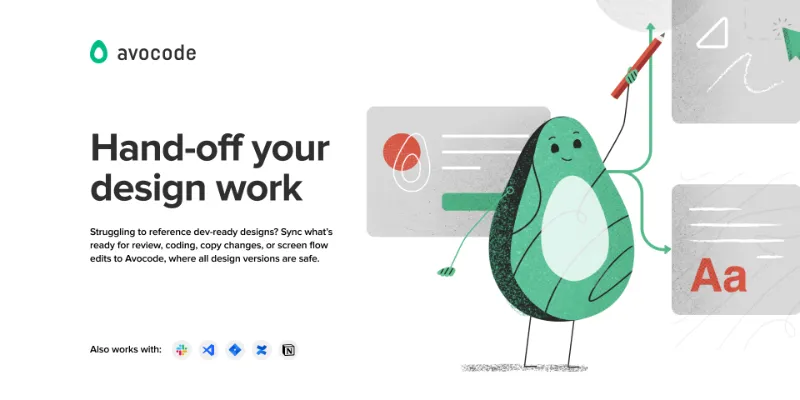
Hand-off design versions to other stakeholders who need to work with them, while keeping your work in Figma intact.
In Avocode, anyone from your team can:
- review design versions from Figma & leave feedback (while not seeing all your exploration work)
- click through and edit screen flow logic
- edit copy in text fields
- inspect all layers, get specs, pick colors, export assets as PNG, JPEG, WebP, and SVG
- export pure standards-based CSS, Sass, Stylus, Less, SCSS, CSS in JS, Styled Components, Swift, Android, and React Native from layers
Learn more at https://avocode.com/
How to use the Avocode plugin?
1. Make sure you are logged into your Avocode account.
2. In Figma, go to Plugins and pick Avocode. You should see a new export window.
3. Select any number of frames and hit EXPORT.
4. Avocode will open in a new browser tab. Choose a project or folder where your wish to sync your designs, and that’s it.
We welcome any feedback on how to improve our Figma plugin. If you have any suggestions or issues, please contact us at team@avocode.com
What's new
Version 10 · released Sep 30, 2021
- Support for syncing main components
Permissions and privacy
Network access
This plugin's manifest doesn't declare its network access, which is common for older plugins. Figma shows a warning on the Community page for plugins like this.
Extra permissions
None beyond the standard access to the file you run it in.
Read from the plugin's published manifest.
Where Avocode ranks
Avocode alternatives
- 1

Zeplin
by Zeplin Crew
291K users2.9KFree + paid featuresDesign tools are for designing. Zeplin is for clear, structured design delivery.
- 2

Measure
by Philip
158K users3.2KFreeAdd measurement lines and additional helpful information to your designs
- 3

Redlines
by Danny Keane
141K users3.8KFree - 4

Inspect Styles
by max.denaro
136K users3.9KFreeInspect styles from Figma and transform to CSS
- 5

Specs Classic
by Directed Edges Plugins
136K users5.5KFree + $8/mo upgradeGenerate component specs including anatomy, props and layout & spacing
- 6

DesignDoc [Spectral]: Measures, Annotations, and Handoff
by Marka Plugin Dev
132K users3KFree📐 Effortlessly hand off your Figma designs to the development team
Avocode FAQ
What does Avocode do?
It's a Figma plugin by Petr Brzek that runs in Figma Design.
Is Avocode free?
Yes. Avocode is free to install and run from the Figma Community, with no paid tier listed.
How do I install Avocode?
Open it on the Figma Community, or search for it in the Actions menu (Cmd/Ctrl + K) inside any file you can edit. See how to install Figma plugins.
What are the best alternatives to Avocode?
By user count, the closest alternatives are Zeplin, Measure and Redlines. Compare all of them on the best Figma plugins for dev handoff.
Built this plugin?
Use this page as a landing page for Avocode: link to it from your site, README or launch posts, or add a badge. Pick a style and copy the code.

Style
Label
Size
Code
<a href="https://figmaplugins.co/plugins/avocode/" target="_blank" rel="noopener"><img src="https://figmaplugins.co/badges/featured-dark.svg" alt="Avocode on figmaplugins.co" width="220" height="48"></a>