On this page
About Color Overlay
Color Overlay is a free Figma plugin with a paid upgrade ($10) published by Jaclyn Tan in 2019. It works in Figma Design and FigJam and has 209,180 users and 1,344 likes on the Figma Community. It ranks #4 in Images & Stock Photos on our lists.
In the developer's words
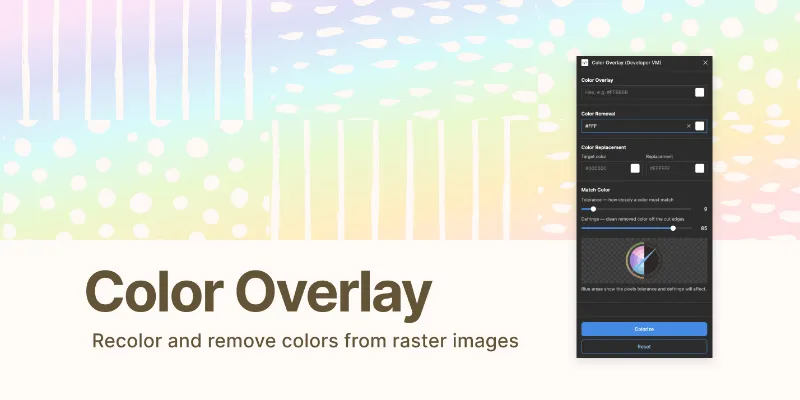
⭐️ Recolor raster images quickly and easily
- Overlay a raster image with a solid color fill (like the Color Overlay layer effect in Photoshop )
- All effects applied are non-destructive and saved as background layers in the frame
Upgrading this plugin includes the following functionality:
- apply effects to a bulk image selection at once
- option to remove a single color from an image
- option to replace a single color in an image
⭐️ Before you buy
- This plugin does not utilise anti-aliasing when colors are removed or replaced.
- This plugin works best on solid colors and shapes
- For the best performance please use this in the Figma app. This plugin does not work in Safari and it is unlikely I will support it in future releases.
✨ You may contact the Figma team for a refund if you are unsatisfied with your purchase in any way.
---
To use
✨ Run the plugin
✨ Select your image
✨ Enter a custom hex or use the swatch with the color picker
✨ You may also optionally remove a color or replace a color in the relevant fields
✨ Click 'Colorize'
---
♡ If you run into any bugs or want to provide feedback comment below.
Thank you for your support.
What's new
Version 35 · released Feb 23, 2025
- plugin so it now uses the native color picker
Permissions and privacy
Network access
Color Overlay declares no network access, so it runs entirely inside Figma and can't send your file anywhere.
Extra permissions
- Reads your Figma name and avatar
- Sees who else is in the file
- Sees the people who have access to the file
- Can offer paid features through Figma's checkout
Read from the plugin's published manifest.
Where Color Overlay ranks
Color Overlay alternatives
- 1

Photopea
by Patrik Schiller
441K users7.1KFreeOnline Photo Editor
- 2

Filter / effects
by Andreslav Kozlov
342K users4KFree + paid featuresModify images more than 50 different effects right in Figma!
- 3

Insert Big Image
by Yuan Qing Lim
224K users4KFree + paid featuresInsert and retain the original resolution of big images
- 4

Downsize
by Alex Einarsson
147K users2.2KFreeCompress and resize images without leaving Figma!
- 5
Image Editor
by Pavel Laptev
129K users2.4KFreeeditor, photo, image editor, photoshop, image filter
- 6

Avatars
by Alohe
68K users868FreeAvatars is a comprehensive collection of diverse and eye-catching avatar images
Color Overlay FAQ
What does Color Overlay do?
Recolor raster images quickly and easily. It's a Figma plugin by Jaclyn Tan that runs in Figma Design and FigJam.
Is Color Overlay free?
Partly. Color Overlay is free to install and use, and a paid upgrade on the Figma Community ($10 one-time) unlocks the rest.
Is Color Overlay safe to use?
Figma plugins can only reach the internet through domains listed in their manifest. Color Overlay declares no network access, so it runs entirely inside Figma and can't send your file anywhere. As with any plugin, check the developer's privacy policy before using it on client work.
How do I install Color Overlay?
Open it on the Figma Community, or search for it in the Actions menu (Cmd/Ctrl + K) inside any file you can edit. See how to install Figma plugins.
What are the best alternatives to Color Overlay?
By user count, the closest alternatives are Photopea, Filter / effects and Insert Big Image. Compare all of them on the best Figma plugins for images & stock photos.
Built this plugin?
Use this page as a landing page for Color Overlay: link to it from your site, README or launch posts, or add a badge. Pick a style and copy the code.

Style
Label
Size
Code
<a href="https://figmaplugins.co/plugins/color-overlay/" target="_blank" rel="noopener"><img src="https://figmaplugins.co/badges/featured-dark.svg" alt="Color Overlay on figmaplugins.co" width="220" height="48"></a>