
On this page
About Colors → Code
Colors → Code is a free Figma plugin published by Moritz Halfmeyer in 2020. It works in Figma Design and has 8,632 users and 103 likes on the Figma Community. It ranks #20 in Color Palettes on our lists.
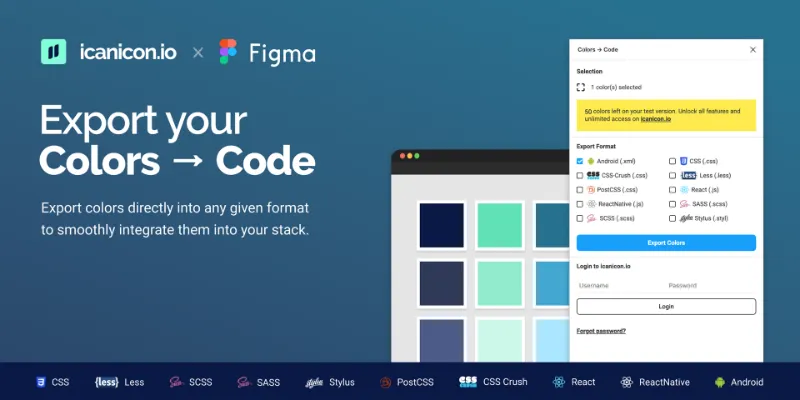
Export your color tokens directly into any given format to smoothly integrate them into your stack. ---------------------------------------- Direct export options (Export 50 colors for free - no subscription required) • CSS (. css) • Less (. less) • SCSS (.
What's new
Version 1 · released Apr 24, 2020
The developer didn't publish release notes for this version.
Permissions and privacy
Network access
This plugin's manifest doesn't declare its network access, which is common for older plugins. Figma shows a warning on the Community page for plugins like this.
Extra permissions
None beyond the standard access to the file you run it in.
Read from the plugin's published manifest.
Where Colors → Code ranks
Colors → Code alternatives
- 1

Color Palettes
by Manthankumar Satani
437K users3.9KFreeA free suite of integrated Color & Accessibility tools - 10+ tools free access 🔥
- 2

Color Designer
by Wojciech Banaś
110K users1.7KFree - 3

Tailwind CSS Color Generator
by Erik de Vries
108K users3.6KFreeCreate custom Tailwind CSS color scales based on a given Hex code or HSL color
- 4

Supa Palette
by Angelo Libero
102K users2.8KFree + paid featuresThe ultimate color palette generator for Figma
- 5

Find and Replace Colors
by Wei Zhong
97K users833FreeQuickly recolor for templates
- 6

Chroma Colors
by Miguel Solorio
92K users966FreeCreate bulk color styles from selection
Colors → Code FAQ
What does Colors → Code do?
It's a Figma plugin by Moritz Halfmeyer that runs in Figma Design.
Is Colors → Code free?
Yes. Colors → Code is free to install and run from the Figma Community, with no paid tier listed.
How do I install Colors → Code?
Open it on the Figma Community, or search for it in the Actions menu (Cmd/Ctrl + K) inside any file you can edit. See how to install Figma plugins.
What are the best alternatives to Colors → Code?
By user count, the closest alternatives are Color Palettes, Color Designer and Tailwind CSS Color Generator. Compare all of them on the best Figma plugins for color palettes.
Built this plugin?
Use this page as a landing page for Colors → Code: link to it from your site, README or launch posts, or add a badge. Pick a style and copy the code.

Style
Label
Size
Code
<a href="https://figmaplugins.co/plugins/colors-code/" target="_blank" rel="noopener"><img src="https://figmaplugins.co/badges/featured-dark.svg" alt="Colors → Code on figmaplugins.co" width="220" height="48"></a>