
On this page
About Find Variables
Find Variables is a free Figma plugin published by Daniel Destefanis in 2023. It works in Figma Design and has 11,444 users and 292 likes on the Figma Community. It ranks #20 in Variables & Tokens on our lists.
In the developer's words
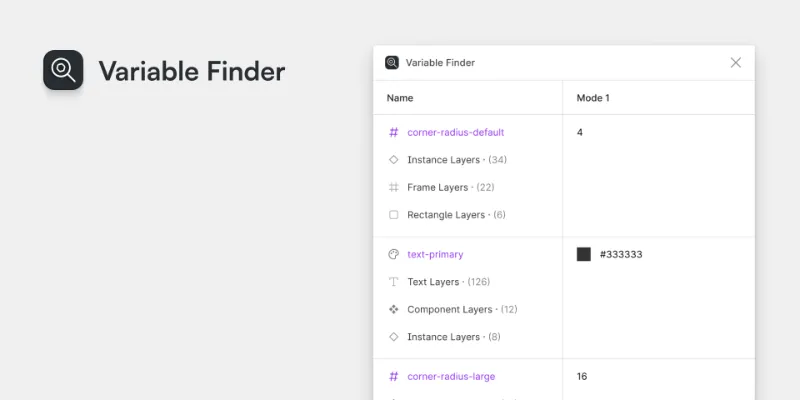
Find Variables helps you find what variables are being used in your file and easily select the layers using them.
Features
- Displays all the variables being used in a given page.
- Shows all the layer types using a variable (frame, text, etc.)
- Select all layers by type or all the layers using a given variable.
Not sure what frames are using a new corner radius? Can't find a specific string variable somewhere in your prototype? This plugin makes it easy to find, and select, any layers using a variable.
Not supported yet
- I only display one mode currently for simplicity
- Send any bugs my way or leave a comment!
This plugin is free, available on Github as an open source resource, and doesn't use any network calls so its safe for enterprise usage.
What's new
Version 2 · released Jul 29, 2023
- Fixed a bug where variables using other variables as an alias would crash the plugin
Permissions and privacy
Network access
Find Variables declares no network access, so it runs entirely inside Figma and can't send your file anywhere.
Extra permissions
None beyond the standard access to the file you run it in.
Read from the plugin's published manifest.
Where Find Variables ranks
Find Variables alternatives
- 1

Styles & Variables Organizer
by Chenmu Wu
134K users3.2KFree + $15 upgradeApply styles and variables to all your designs with one click!
- 2

Export/Import Variables
by Honza Toman
85K users1.7KFreeExport variables from one file and import them to another. Supports modes, references, and scopes.
- 3

Design Tokens
by Lukas Oppermann
62K users1.9KFreeExport design tokens to JSON or GitHub.
- 4

Figma Tailwindcss
by Jan D'Hollander
53K users606FreeExport design tokens to tailwind theme
- 5

Kigen
by vijay verma
34K users1.7KFreeCreate Design System Variables, Tokens, Styles and more with documentation
- 6

variables2css
by Kai-Uwe Hella
28K users353FreeConvert Figma Variables to CSS, Sass, Tailwind, Json, Javascript (Styled-Components), Less or Stylus
Find Variables FAQ
What does Find Variables do?
Find variables in use across your designs. It's a Figma plugin by Daniel Destefanis that runs in Figma Design.
Is Find Variables free?
Yes. Find Variables is free to install and run from the Figma Community, with no paid tier listed.
Is Find Variables safe to use?
Figma plugins can only reach the internet through domains listed in their manifest. Find Variables declares no network access, so it runs entirely inside Figma and can't send your file anywhere. As with any plugin, check the developer's privacy policy before using it on client work.
How do I install Find Variables?
Open it on the Figma Community, or search for it in the Actions menu (Cmd/Ctrl + K) inside any file you can edit. See how to install Figma plugins.
What are the best alternatives to Find Variables?
By user count, the closest alternatives are Styles & Variables Organizer, Export/Import Variables and Design Tokens. Compare all of them on the best Figma plugins for variables & tokens.
Built this plugin?
Use this page as a landing page for Find Variables: link to it from your site, README or launch posts, or add a badge. Pick a style and copy the code.

Style
Label
Size
Code
<a href="https://figmaplugins.co/plugins/find-variables/" target="_blank" rel="noopener"><img src="https://figmaplugins.co/badges/featured-dark.svg" alt="Find Variables on figmaplugins.co" width="220" height="48"></a>