The client presentation stack: 6 Figma plugins
A good presentation sells the work. This stack takes finished frames and puts them on real devices, turns them into animated decks, and exports GIFs, videos and PDFs small enough to email, all without leaving Figma.
6 plugins6 free to startPicked by figmaplugins.co


Mockup Plugin
1.6M users
Make it yours. Copy this stack to your account, swap plugins in or out, and share your version with a link.
Make it my stackThe stack
6 plugins, one job each
- 1
Mockup Plugin
by ls.graphics
1.6M users20KFree + paid featuresBest forDevice mockups
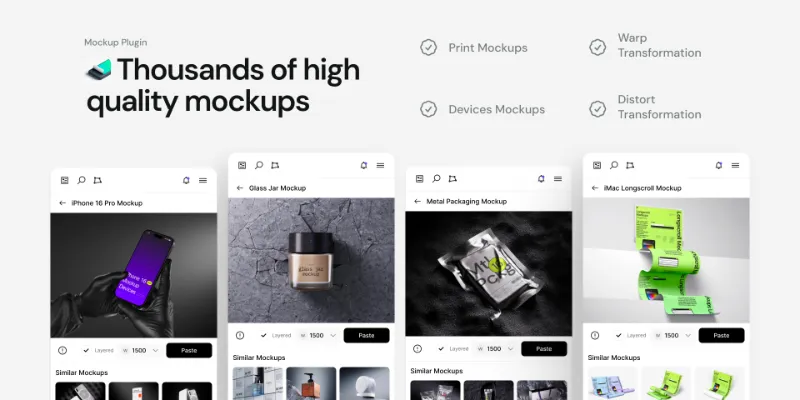
3,800+ device and branding mockups. Select a frame, pick a device, and the design appears on screen.
- 2

Clay Mockups 3D
by Hamish
625K users4.7KFreeBest for3D renders
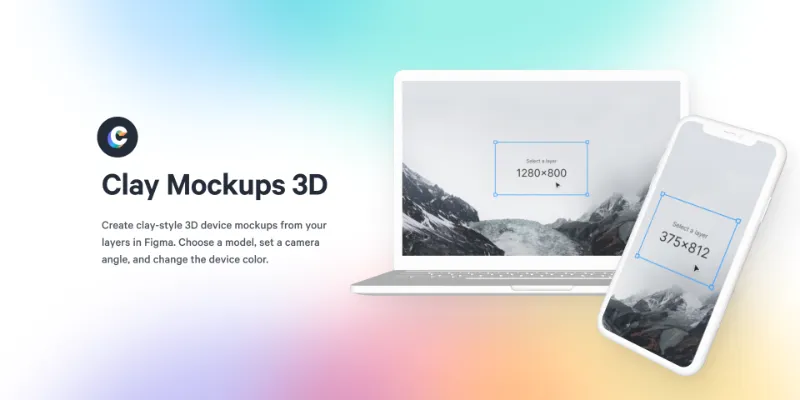
Clay-style 3D device renders with custom colour and camera angle. The device models are a few years old, so it suits stylised shots over current-device realism.
- 3

Artboard Mockups and Animations
by Artboard Studio
965K users9.3KFree + paid featuresBest forBrand and video mockups
Device, branding and apparel mockups, plus video mockups with animation templates for showing motion work.
- 4

Pitchdeck Presentation Studio
by Hypermatic
502K users6KFree + paid featuresBest forSlide decks
Turns frames into an animated deck, or exports it to PowerPoint and PDF for clients who don't use Figma.
- 5

Export to GIF/Video
by Evan at CreativeFlow
326K users3.1KFree + paid featuresBest forGIF and video
Exports prototypes as GIF, video, Lottie or dotLottie, for walkthroughs that play in an email or a slide.
- 6

Compressed PDF and Image Exporter
by Taylor Osborn
147K users558Free + paid featuresBest forCompressed PDFs
Exports PDFs and images at smaller file sizes with a quality control, so a proposal deck fits in an email attachment.
Outside the stack · Disclosure
FAQ
Frequently asked questions
How do I present a Figma design to a client?
Share a prototype link for interactive reviews, and a PDF or deck for sign-off. Mockup plugins make screens feel real, and compressed exports keep files small. See exporting a PDF from Figma.
How do I export a Figma prototype as a video?
Use a plugin like Export to GIF/Video, or record the prototype yourself. Our guide to making a GIF in Figma covers the plugin route.
What's the best free mockup plugin for Figma?
Clay Mockups 3D is free, and Mockup Plugin has a large free tier. The full ranking is in the best mockup plugins.
Keep exploring
Related lists and guides

Mockups
device and print mockups
See the top picks



GIF & Video
GIFs and video export
See the top picks


PDF & Print
PDF export and print-ready files
See the top picks



Figma Slides
Figma Slides presentations
See the top picksGuides
- How to Export a Figma Design as a PDFExport Figma frames as PDF from the Export section or File > Export, keep file size down, and combine several frames into one PDF with a plugin.
- How to make a GIF in FigmaMake a GIF in Figma from frames with a plugin, export a Figma Motion animation as GIF, or record a prototype. Steps, loop and timing settings, and trade-offs.
- How to Export Figma to PowerPointExport Figma to PowerPoint as an editable PPTX with Figma Slides, or use a plugin for Design frames. What survives the export, and how to reach Google Slides.
- How to share a Figma linkShare a Figma file from the Share menu: choose who the link works for and whether they can view or edit. Plus private files, prototype links and ownership.
More stacks
- 8 plugins
Figma starter stack
Designers setting up Figma for the first time


 See the stack
- 7 plugins
Design system stack
Design system maintainers and the teams that consume a library



 See the stack
- 7 plugins
Developer handoff stack
Designers handing off to engineers, and developers working in Dev Mode



 See the stack