The best Figma plugins for importing and exporting files in 2026
html.to.design is the most-installed plugin in Figma's Import & Export category, with 2.4M users, because it converts any live website into editable Figma layers, a job Figma can't do on its own. This page ranks the whole category, from website import and code export to compressed images, PDFs and slide decks.
Top 20 picks

html.to.design
#1 · 2.4M users
Quick answer
Our top picks
- #1
Most used
html.to.design
by divRIOTS
html.to.design turns a website into editable Figma layers, which saves rebuilding an existing site before a redesign. It has 2.4M users and 37K likes. It's a paid plugin billed as a subscription, so occasional users should weigh it against the free tools on the HTML to Figma list.2.4M 37KFree + $18/mo - #4
Best for Adobe and Sketch files

Convertify Sketch/Adobe/Google
by Hypermatic
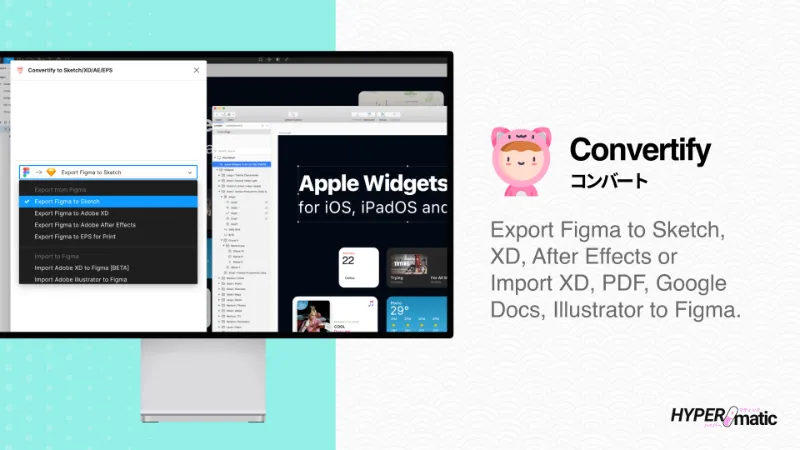
Convertify exports Figma to Sketch, XD, After Effects, PSD and InDesign, and imports XD, Illustrator, PSD, InDesign and PDF. It fits teams that hand files to people outside Figma. It's free with in-app purchases, and complex files may need cleanup after conversion.519K 5.1KFree + paid - #5
Best for smaller files

TinyImage Compressor
by Hypermatic
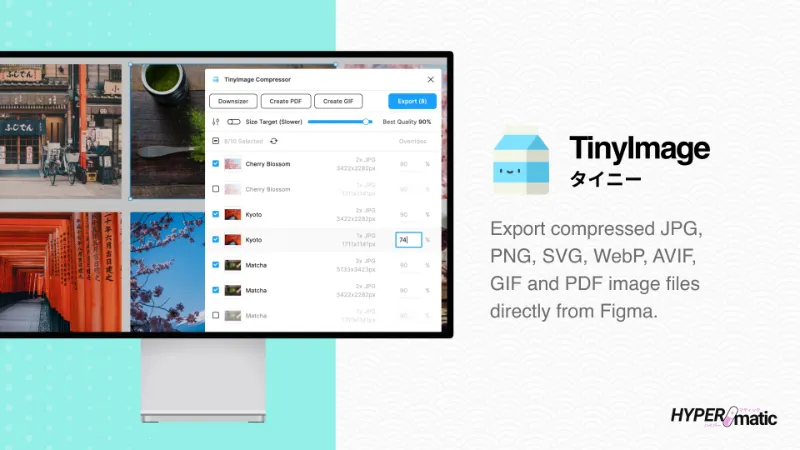
TinyImage Compressor exports and downsizes JPG, PNG, SVG, WebP, GIF, WebM, MP4, AVIF and PDF files straight from Figma. It's useful for web assets and email attachments that need to stay small. Free with in-app purchases, used by 512K designers.512K 4.6KFree + paid
The full list
The 20 most-used Figma plugins for import & export
- 012.4M37KFree + $18/mo
- 02
 1.8M17KFree
 - 03
 670K6.7KFree
 - 04
Convertify Sketch/Adobe/Google
Export to Sketch, XD, After Effects, PSD, InDesign — or — Import XD, Illustrator, PSD, InDesign, PDF
Free + paid · 5.1K likes
519K5.1KFree + paid - 05
TinyImage Compressor
Export/downsize compressed JPG, PNG, SVG, WebP, GIF, WebM, MP4, AVIF and PDF image files from Figma
Free + paid · 4.6K likes
512K4.6KFree + paid - 06

Pitchdeck Presentation Studio
Turn your Figma designs into animated slide decks or export them to PowerPoint/PDF
Free + paid · 5.9K likes
485K5.9KFree + paid - 07
 314K2.6KFree
 - 08
 311K3KFree + paid
 - 09
 306K2.7KFree
 - 10

Print for Figma
Export Figma to CMYK with Bleed, Crop Marks, DPI, and more ...
Free + $12/mo · 3.6K likes
253K3.6KFree + $12/mo - 11

Web to Figma
Import any website or HTML code to Figma editable design. Goodbye screenshots.
Free + paid · 3.4K likes
244K3.4KFree + paid - 12
 215K2.5KFree
 - 13
 159K4.2KFree
 - 14
 155K3.6KFree
 - 15

Export Figma to Websites and HTML by Siter.io
Publish Figma designs as websites without the need for coding. Embed HTML code into your website.
Free + paid · 1.8K likes
137K1.8KFree + paid - 16

Compressed PDF and Image Exporter
Export compressed PDFs and images at efficient file sizes from Figma while controlling for quality.
Free + paid · 537 likes
136K537Free + paid - 17

Emailify HTML Email Builder
Design and export responsive, production ready HTML emails from Figma
Free + paid · 2K likes
132K2KFree + paid - 18

CopyDoc Text Kit
Everything you need to easily export, import, localize, spell check, and update Figma text
Free + paid · 1.3K likes
124K1.3KFree + paid - 19

SVG Export
Export tiny SVG files and control every aspect of how they're exported with presets. Powered by svgo
Free · 1.1K likes
122K1.1KFree - 20

Figma Exporter
Easily export assets as PNG/JPG/WebP/SVG/PDF for Web, Android, Flutter, iOS, React Native
Free · 490 likes
112K490Free
Buying guide
What to look for
Figma's own Export panel handles PNG, JPG, SVG and PDF at custom scales, and Figma Slides adds PowerPoint export. Plugins earn their place when you need a format or setting Figma doesn't offer: Adobe and Sketch formats (Convertify), compressed or resized images (TinyImage), CMYK print files, animated GIF and video, or editable PDF import.
Because this is a broad category, the specialist lists will serve you better once you know the job: HTML to Figma, Figma to code, PDF and print, GIF and video and SVG and vector.
- 01
Formats Figma doesn't cover
Figma exports PNG, JPG, SVG and PDF natively. Pay attention to plugins that add WebP, AVIF, PSD, CMYK or PPTX, since those are the gaps you're filling.
- 02
Editable vs flattened import
PDF to Figma inserts each page as an image; pdf.to.design imports editable layers. Check which you get before relying on an import for edits.
- 03
Batch export
If you export dozens of assets, look for presets, naming rules and platform scales (iOS, Android, web). Figma Exporter is built around that.
- 04
Privacy
Importers and compressors may upload files. For client work, prefer plugins that say they process locally, as pdf.to.design does.
FAQ
Frequently asked questions
What formats can Figma export without a plugin?
PNG, JPG, SVG and PDF from the Export panel, with scale and suffix settings. Figma Slides also exports PowerPoint (.pptx) and PDF, and Figma Motion exports GIF, MP4 and WebM for animations built with it.
How do I import a website into Figma?
Run html.to.design or Web to Figma, paste a URL and import. Both build editable layers rather than a screenshot. Compare more options on the HTML to Figma list.
Can I import a PDF into Figma?
Yes, with a plugin. pdf.to.design imports PDFs as editable layers or images and processes files locally; PDF to Figma inserts each page as an image up to 4080×4080 px.
How do I export Figma designs to PowerPoint?
Figma Slides exports .pptx natively. From a Figma Design file, Deck converts frames into editable PowerPoint slides for free. See the Figma Slides list for more.
Keep exploring
Related lists and guides

Website to Figma
importing websites, PDFs and screenshots into Figma
See the top picks

PDF & Print
PDF export and print-ready files
See the top picks

GIF & Video
GIFs and video export
See the top picksGuides
- Why Is My Figma Export Blurry, and How Do I Fix It?Why Figma exports look blurry or pixelated and how to fix it: export at 2x to 4x, pick the right format, check JPG quality and the 4096px image limit.
- How to Export in Figma (PNG, JPG, SVG, PDF)Export from Figma as PNG, JPG, SVG or PDF: the Export section, scale, bulk export shortcut, transparent backgrounds, and what to do if Export is missing.
- How to save a Figma file locally (.fig)Save a Figma file to your computer with Main menu → File → Save local copy. You get a .fig file without version history or comments that reopens as a new file.
- How to Export a Figma Design as a PDFExport Figma frames as PDF from the Export section or File > Export, keep file size down, and combine several frames into one PDF with a plugin.
- How to Import an Excel Table into FigmaFigma Design can't paste Excel cells as a table. Build one with auto layout, fill it from CSV or Google Sheets, or import .xlsx files with a free plugin.
- How to make a GIF in FigmaMake a GIF in Figma from frames with a plugin, export a Figma Motion animation as GIF, or record a prototype. Steps, loop and timing settings, and trade-offs.